Know where every rupee goes.
Spends, EMIs, credit cards, udhari and savings goals in one simple app. No subscription, no bank login, no SMS reading.
One-time payment. Instant access after payment.
Everything your money needs. Nothing it doesn't.
Built for how India actually pays: UPI, cash, cards, EMIs and friends who forget to pay back.
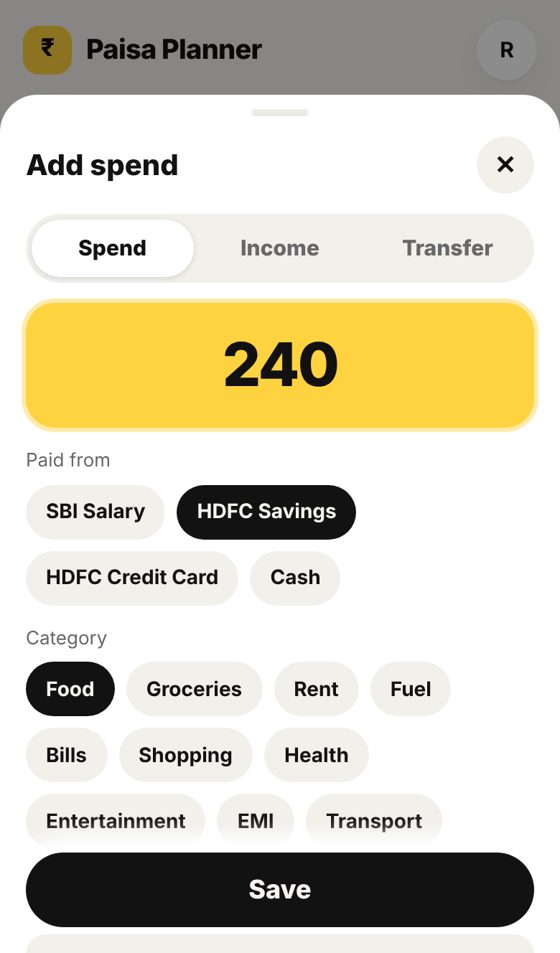
Add a spend in 3 taps
Amount, category, done. Pick which bank, card or cash it came from.
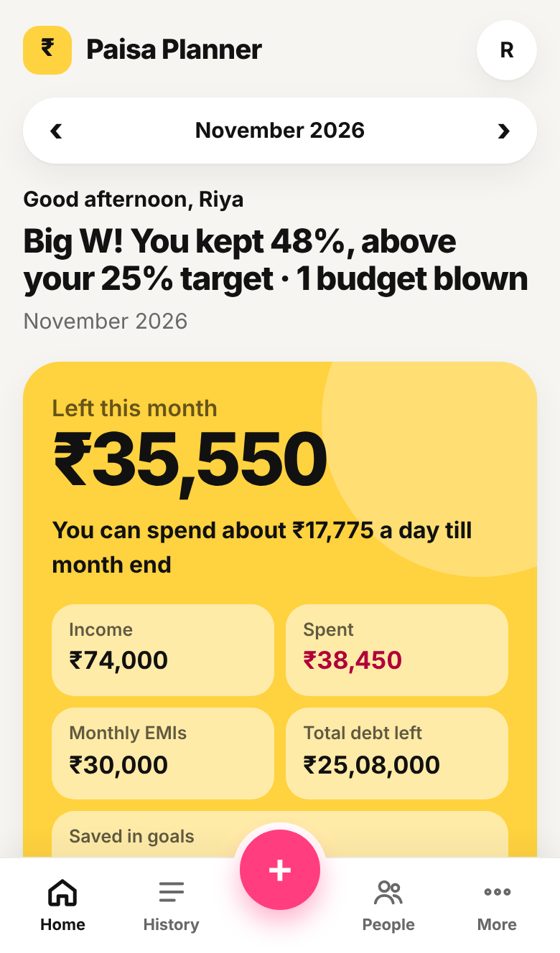
Daily spend limit
See how much you can spend each day till month end, after bills.
EMI & prepayment planner
See when each loan closes and how much interest a prepayment saves.
Split bills & udhari
Split with friends, track who owes what, send a WhatsApp reminder in one tap.
Bills, cards & auto entries
Due-date reminders, credit card limits, salary and rent added every month by itself.
Net worth & monthly report
FD, SIP, gold and shares in one view, plus a one-page report you can save as PDF.
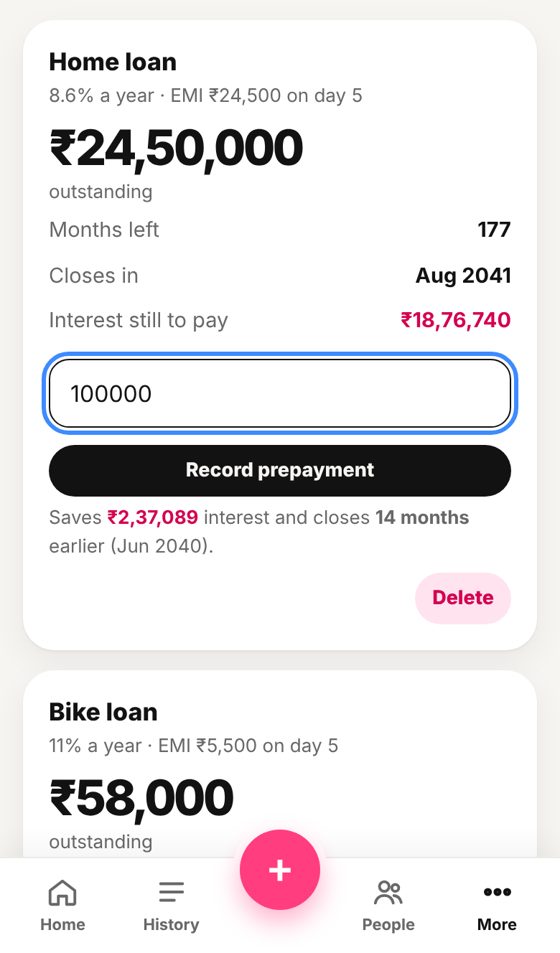
See what a prepayment really saves.
Type an amount and see the interest you save and how many months earlier your loan closes.
- Months left and closing date for every loan
- Interest still to pay if you only pay EMIs
- Mark an EMI paid and the balance updates
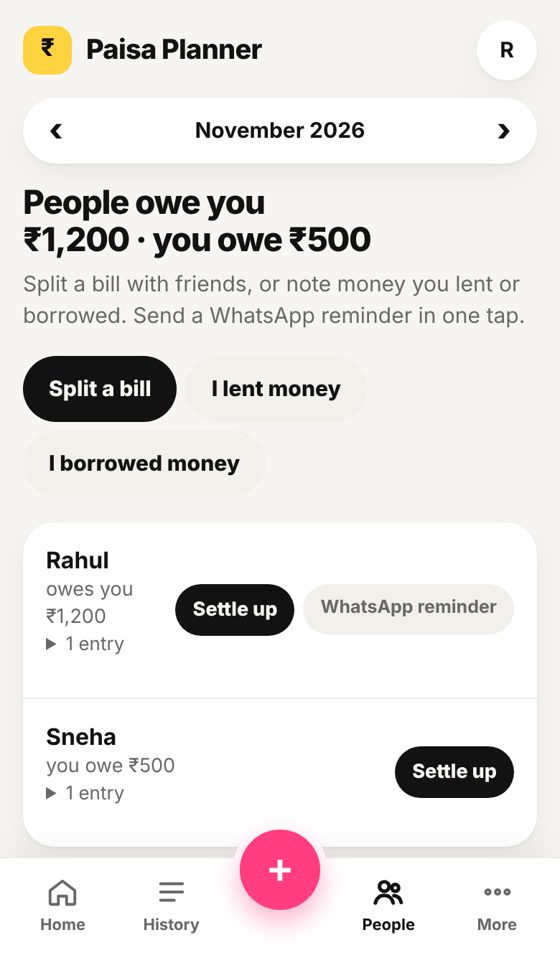
Udhari without the awkward calls.
Split a bill equally, record money you lent or borrowed, and settle up when it comes back.
- Who owes you and whom you owe, at a glance
- WhatsApp reminder with the exact amount
- No daily entry limits
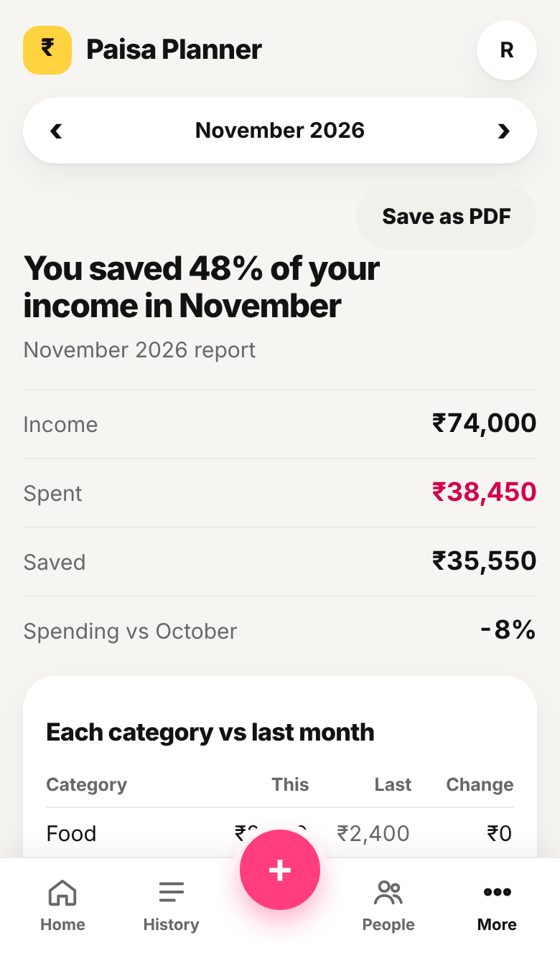
Your month on one page.
How much you saved, which category went up, your biggest spends and spending by account.
- Compare with last month
- Tags like goa-trip or wedding
- Save as PDF
One price. Yours to keep.
Pay once with UPI or card. You get the app link right after payment.
- All features included
- Android and iPhone, install from the browser
- Future updates included
Questions
How do I get the app after paying?
Right after payment you get a PDF with the app link and install steps. Open the link on your phone and add it to your home screen.
Does it work on iPhone?
Yes. On iPhone open the link in Safari, tap Share and then Add to Home Screen. On Android open it in Chrome and tap Install app or Add to Home screen.
Do you see my data?
No. Everything you enter stays on your phone. Nothing is sent to any server. Take a backup from the app now and then, and use it to move to a new phone.
Does it read my SMS or connect to my bank?
No. You add entries yourself, which keeps your bank details private.
Is there a monthly fee?
No. You pay ₹99 once.
What if it does not work on my phone?
Message us within 7 days of purchase. We will help you set it up, or refund you if it does not work. See the refund policy.